
A QR code earns its space when it leads to something useful: clear instructions, a relevant product page or another destination that will still work after the labels have been printed. The design task is to make that code easy to notice and scan on the real package. Begin with the destination, then protect the code’s print quality and the clear area around it.
01
Choose the destination before making the code
Decide what the scan should help the customer do. A short page with useful product information may be more practical than a general homepage that leaves the visitor searching again. Make the surrounding label text describe the action accurately, such as reading a guide or finding use instructions.
Open the destination on a phone and check that it loads without an unwanted sign-in wall. Make sure you control the address or understand the provider’s terms if you use a redirect service. A printed code cannot be changed as easily as the label artwork that created it.
02
Reserve quiet space around the symbol
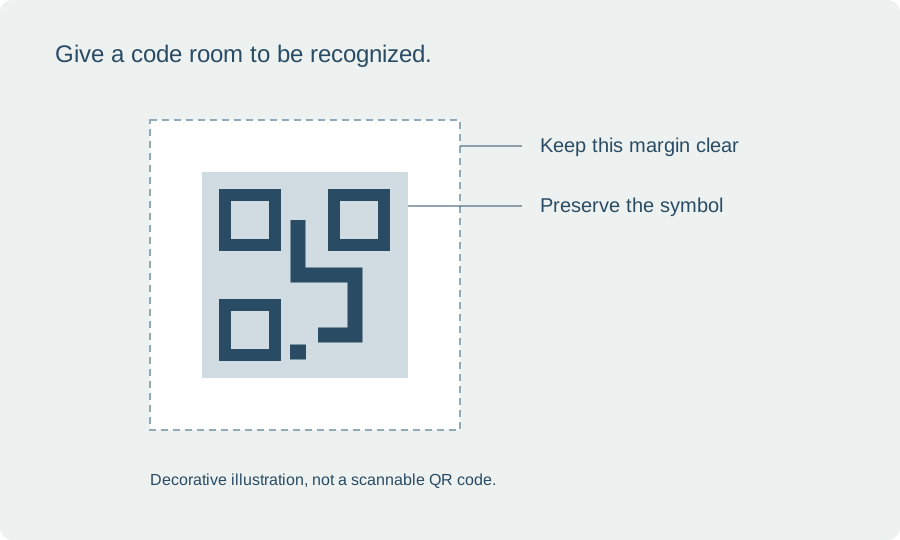
QR codes need a clear margin around their pattern so a reader can distinguish the code from surrounding artwork. GS1’s 2D barcode guidance describes a quiet zone for QR codes equal to four modules on each side. A module is one of the small squares in the symbol, not a fixed millimeter measurement.
Avoid placing borders, botanical lines or text inside that quiet area. Keep the code away from a seam or cut edge that could interrupt it. A code that scans on an enlarged monitor can still fail when its modules become too small or distorted on the final package.
03
Protect proportion, contrast and placement
Resize the code proportionally rather than stretching it to fill a spare rectangle. Use a simple high-contrast treatment and avoid decorative changes that obscure the pattern. If the packaging is transparent or colored, test the complete background rather than assuming the digital preview provides the same contrast.
Curves and glare can affect the scan angle. Try a flatter part of the package where the whole symbol can be seen together. A narrow tube may not offer the same comfortable scanning area as a wide jar or box. Treat the final placement as part of the test, not a finishing decision after the file is approved.
04
Distinguish a website QR code from a retail code
A QR code that opens a webpage is not automatically configured for a retailer’s point-of-sale system. GS1 provides separate standards and implementation guidance for retail barcodes and 2D codes. Confirm the retailer’s requirements before assuming a customer-facing scan replaces the barcode it requests.
If you include both types, plan their locations and preserve the specifications for each. Do not improvise a barcode from a decorative preview or crop it to save space. Ask the appropriate provider or print specialist when the package needs machine-readable identification for retail or distribution.
05
Run a realistic scan check
Print the code at its intended dimensions using the actual material and finish. Apply it to the package and test with several ordinary phones in different reasonable lighting conditions. Start from the distance a customer would naturally use, then verify that the page reached is the intended one.
Repeat the check after changing the code, label size, material or destination setup. Keep a printed sample and record the tested URL. Review the destination periodically so a website revision does not leave existing packaging pointing to a broken or unrelated page.
BEFORE YOUR NEXT STEP
Your practical checklist
- Use a useful destination you can maintain.
- Preserve proportions and the clear quiet zone.
- Keep codes away from seams, glare-heavy curves and busy artwork.
- Test the actual printed package on multiple phones.
Questions & answers
What minimum QR code size works on every label?+
There is no single size for every code and use. Data density, module size, print quality, surface and scanning conditions all matter.
Can a QR code replace information required on a label?+
Do not assume it can. Verify the obligations for the product and market separately from the code’s technical performance.
Sources & further reading
Official references for the technical points in this guide. Check current specifications before production.