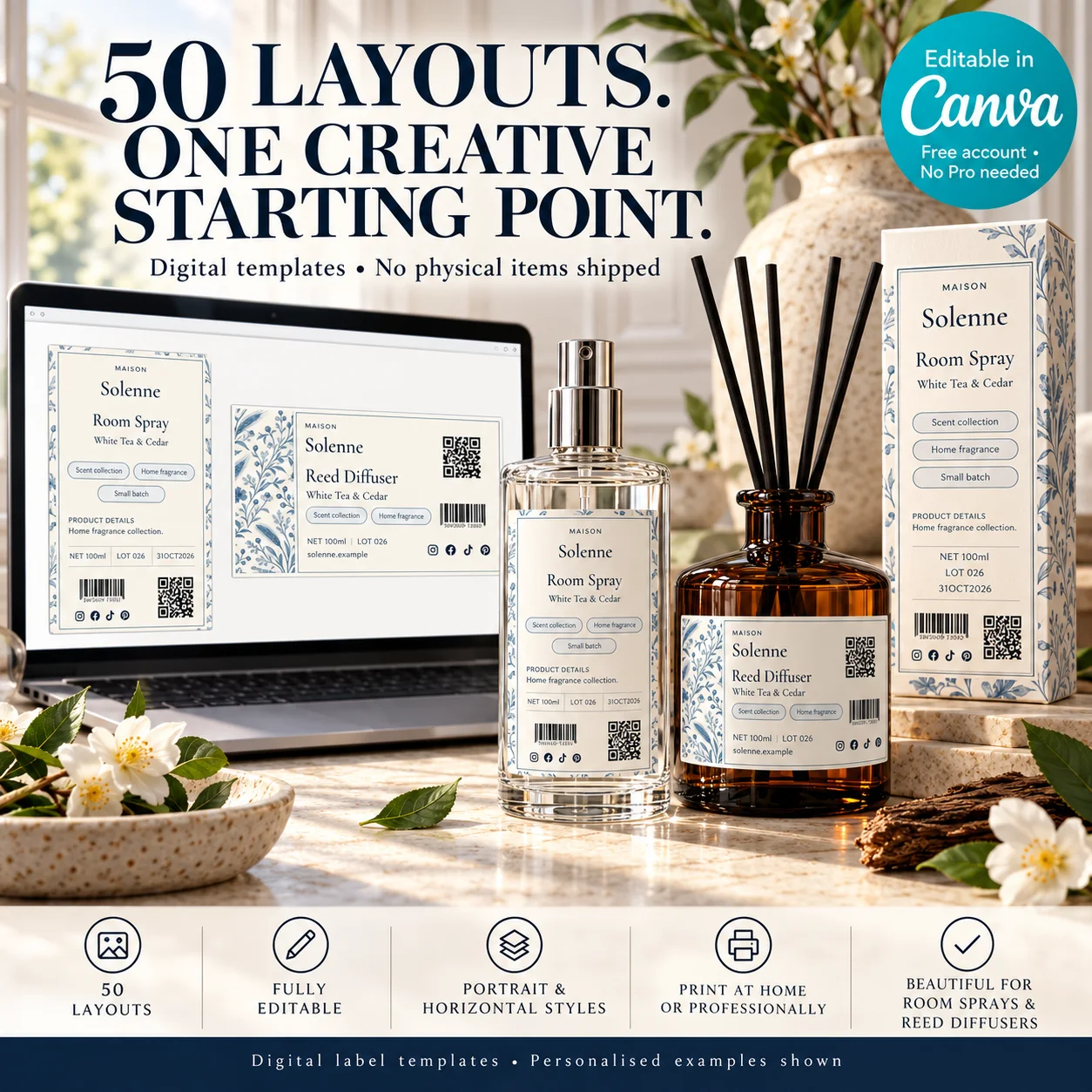
“These Product Label Wax Melt Templates for Canva, 100 Layouts + 20 Stationery Designs designs are so lovely. I wanted my packaging to feel a little more put together, and this was exactly the look I had in mind.”
01 / 18
Printed examples shown. Your purchase is a digital template collection.
Make it yoursPersonalize in Canva50 layoutsOne coordinated collectionDigital downloadNo physical shipping
50 layouts. One beautiful look.
Your brand, your details. Personalize in Canva.
ONE-TIME PURCHASEProduct Label Wax Melt Templates for Canva, 100 Layouts + 20 Stationery Designs Label Templates
Make your packaging feel like your brand with coordinated botanical label templates you can personalize in Canva.
Made for your brand. Editable in Canva.
$25 USDOne-time purchase
- 50 coordinated, mixed-format label layouts
- Personalize your text and brand details in Canva
- Editing & print guidance included
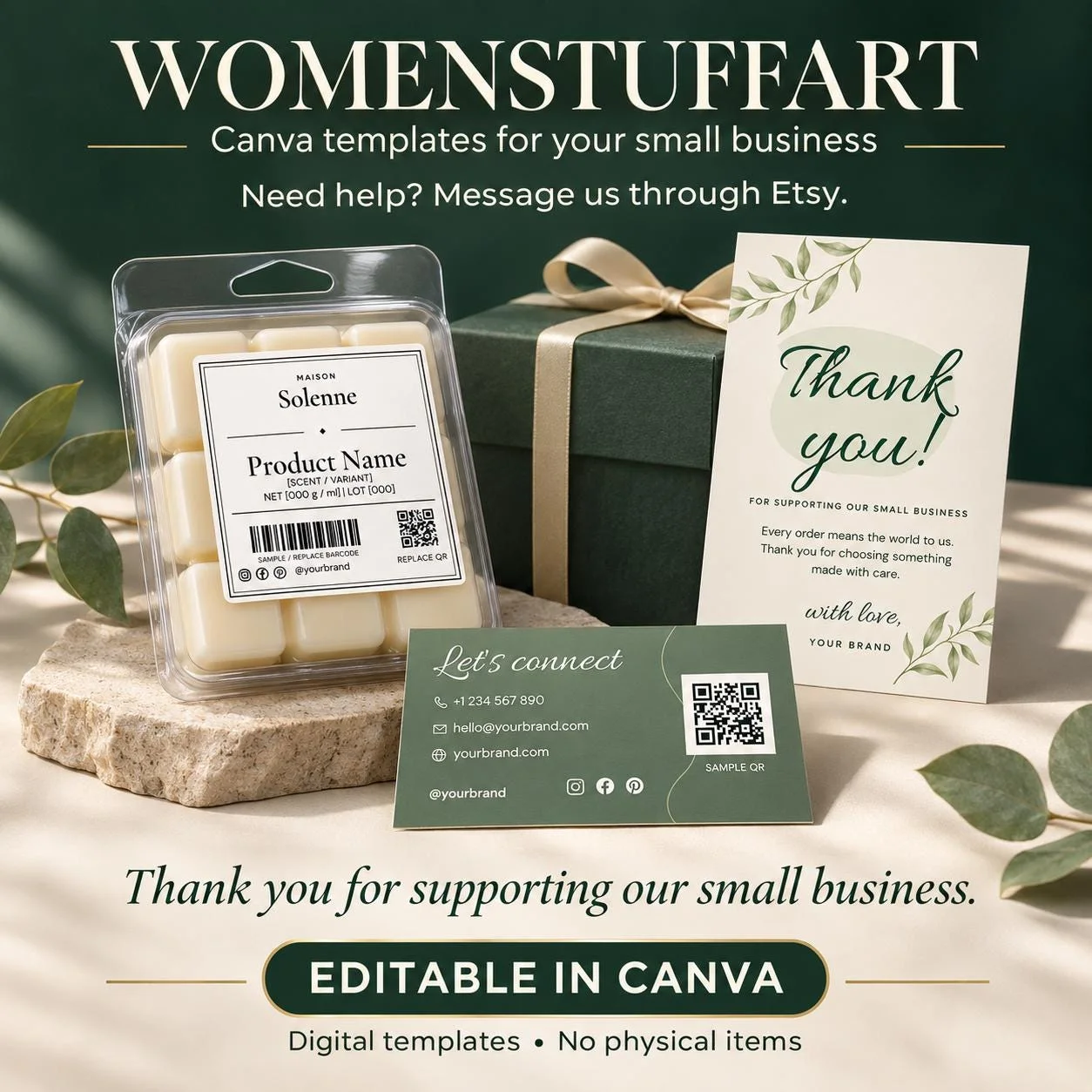
“These Product Label Wax Melt Templates for Canva, 100 Layouts + 20 Stationery Designs designs are so lovely. I wanted my packaging to feel a little more put together, and this was exactly the look I had in mind.”1 / 5 · Design preview
Digital deliveryEdit in CanvaSecure checkout
Checkout with Fourthwall · Tax calculated at checkout
50 layouts · $0.50 per layout
What exactly am I buying?
A digital collection of 50 editable product label wax melt templates for canva, 100 layouts + 20 stationery designs label layouts in the Blue Botanical style. Printed labels, products, containers and photography props are not included.
Will these fit my packaging?
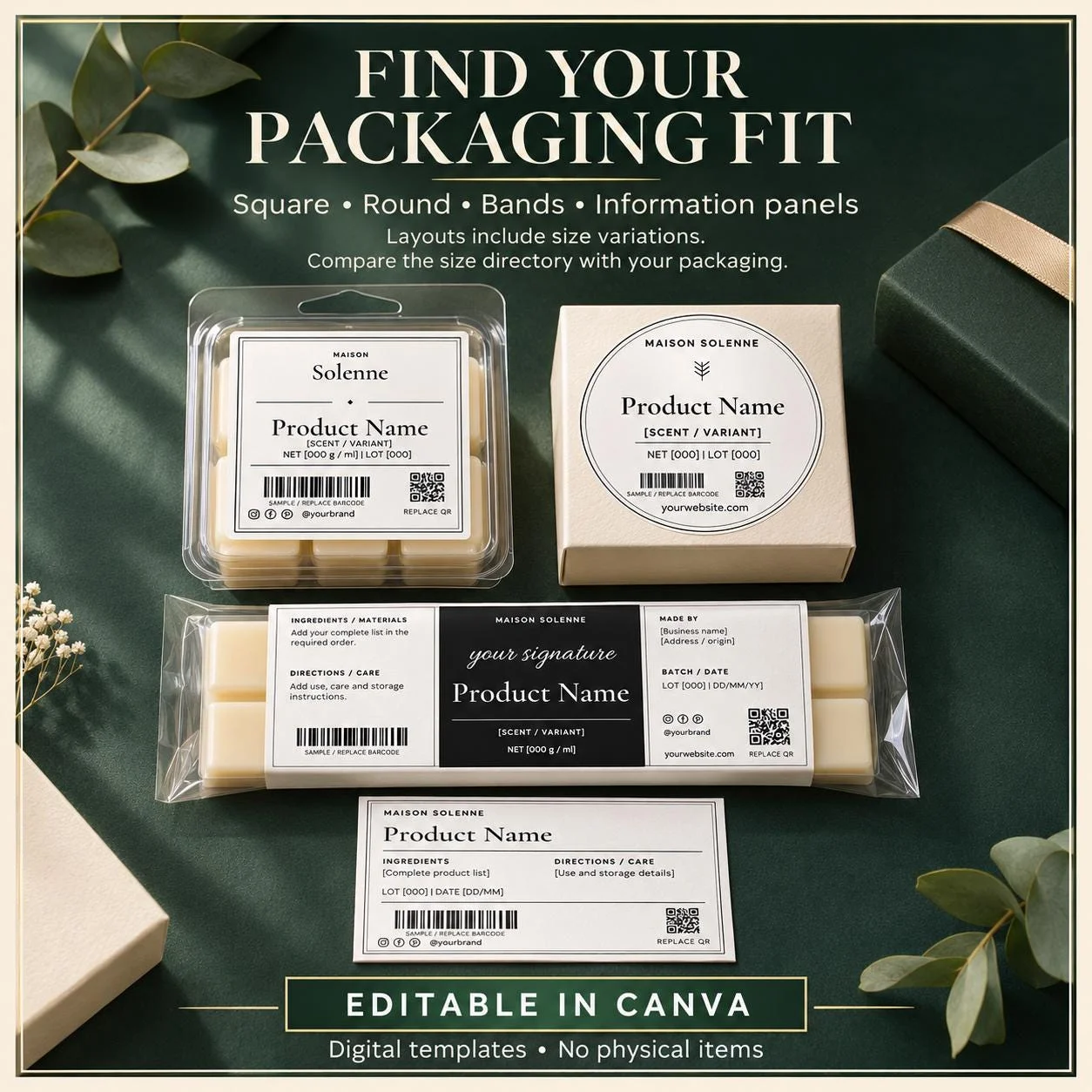
This is a mixed-format collection. Check the preview gallery and layout dimensions against your packaging before printing. Every layout is not supplied in every size.
How do I edit and print them?
Open the supplied templates in Canva, replace the wording with your details, check the dimensions and export your finished designs. Arrange your own printing using suitable label paper or a print service.
Where will I find my templates?
After checkout, follow the download or access instructions from Fourthwall. See our digital delivery guide if you need help locating them.
DESIGNED TO BELONG TOGETHERTHE FINISHING TOUCH, ALREADY STARTED
A beautiful finish for the things you make.
A beautiful product deserves a considered presentation. Start with a coordinated design, then bring in the details that make it yours.
One collection. A coordinated look.
- 50 label layouts in the Blue Botanical style
- A mix of formats for different packaging needs
- Canva templates plus editing and print guidance
FROM TEMPLATE TO YOUR FINISHING TOUCH
Your brand. In three simple steps.
Keep the beautiful starting point. Make the details your own.
01
Open in Canva
Access the supplied templates and choose a layout for your packaging.
02
Add your details
Personalize your brand name, product wording and contact information.
03
Print your final design
Check the dimensions, export your design and arrange your own printing.
A LITTLE CLARITY BEFORE YOU CHOOSE
One collection or two?
Find your starting point.
Start with the packaging you need now, or bring two product lines together. Both options are a one-time purchase.
| Your options | SelectedSingle collectionOne product line | Build your duoA wider product range |
|---|---|---|
| Complete collections | 1 | 2 |
| Editable layouts | 50Mixed formats | 10050 in each collection |
| Your designs | Product Label Wax Melt Templates for Canva, 100 Layouts + 20 Stationery Designs | Product Label Wax Melt Templates for Canva, 100 Layouts + 20 Stationery Designs+ Candle |
| Text editing in Canva | Included | Included |
| Editing & print guidance | Included | Included |
| One-time priceBefore applicable tax | $25.00$0.50 per layout | $52.00$0.52 per layout |
| Choose single | Choose duo |
Prices in USD. Digital templates only. Printing and packaging are arranged separately. The duo combines two full collections at their listed prices.
A CLOSER LOOK AT THE DETAILS
One visual story.
Every little detail.
Fine botanical borders. Warm ivory backgrounds. Inky blue details. Give your packaging a shared visual identity, with room for your own story.
- 50
- coordinated layouts
- Canva
- edit your wording
- Digital
- no physical shipping
CUSTOMER REVIEW DESIGN
A little love
for the details.
Design preview Illustrative sample content, not verified customer feedback.
5.0
5 sample reviews
Product Label Wax Melt Templates for Canva, 100 Layouts + 20 Stationery Designs collection“I was nervous about editing a template, but changing the wording in Canva felt much easier than starting from a blank page. Really happy with the result.”
“The little botanical details are my favourite part. Pretty without feeling too busy, and everything looks like it belongs together.”
“Having a design to start with saved me so much second-guessing. I could spend my time getting my own wording right instead of trying to design the whole thing.”
“Such a nice finishing touch for my small business. I kept coming back to this style, and I love seeing my own brand name in the design.”
Swipe to explore the review layout
FEEL GOOD ABOUT YOUR CHOICE
A few things
you might ask.
Need help choosing your collection?
Ask the studioWhat comes with this collection?
50 coordinated product label wax melt templates for canva, 100 layouts + 20 stationery designs label layouts to personalize in Canva, with editing and print guidance. The preview images show examples of the designs in use.
Will anything be shipped to me?
No. This is a digital template purchase. Printed labels, products, packaging and photography props are not included.
Are all 50 layouts the same size?
No. The collection includes mixed formats; every layout is not supplied in every size. Review the previews and check dimensions against your packaging before printing.
Can I use these for products I sell?
Review the product information and included usage terms before purchasing. You are responsible for your final wording, product details and any labeling requirements that apply to your business.
Read the full product description
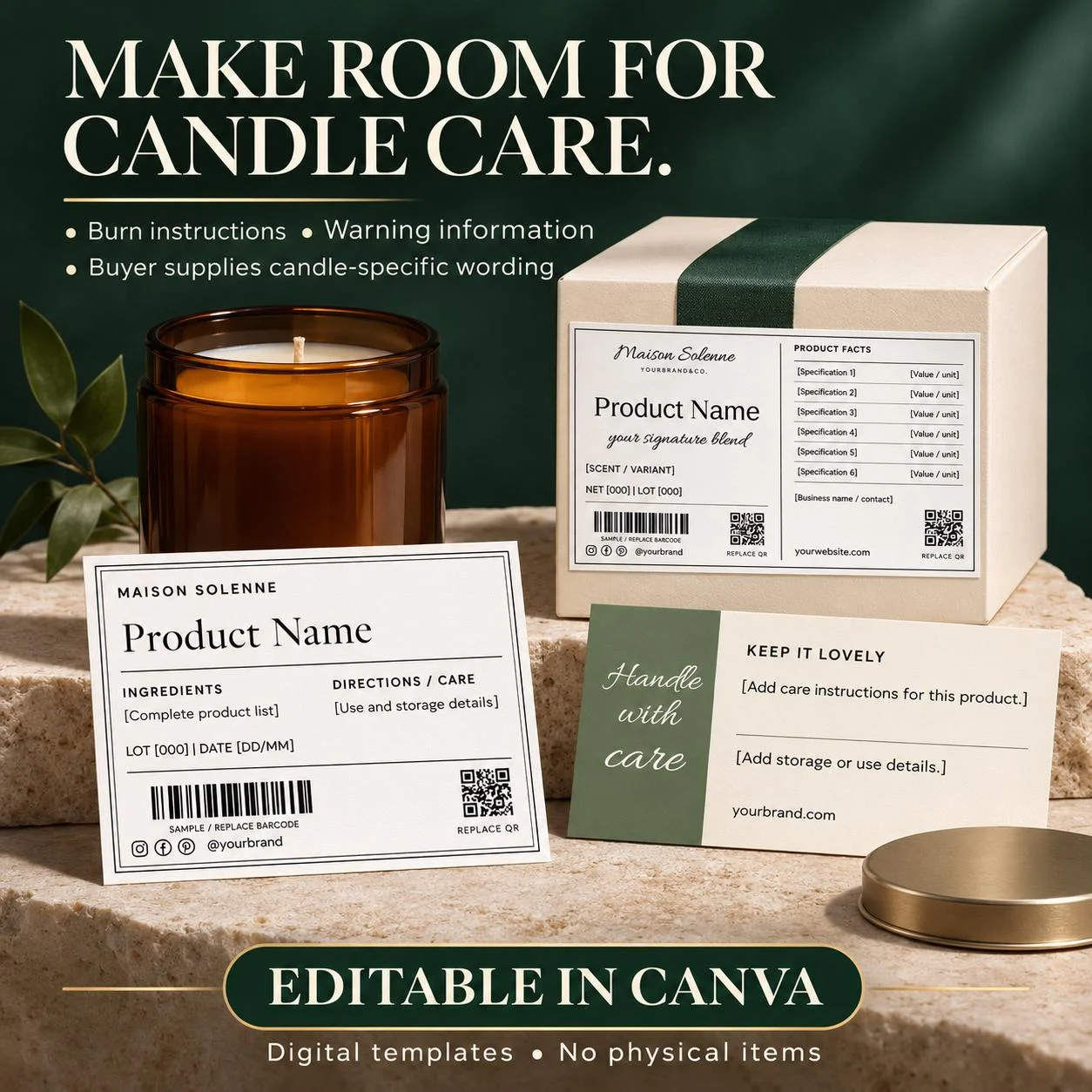
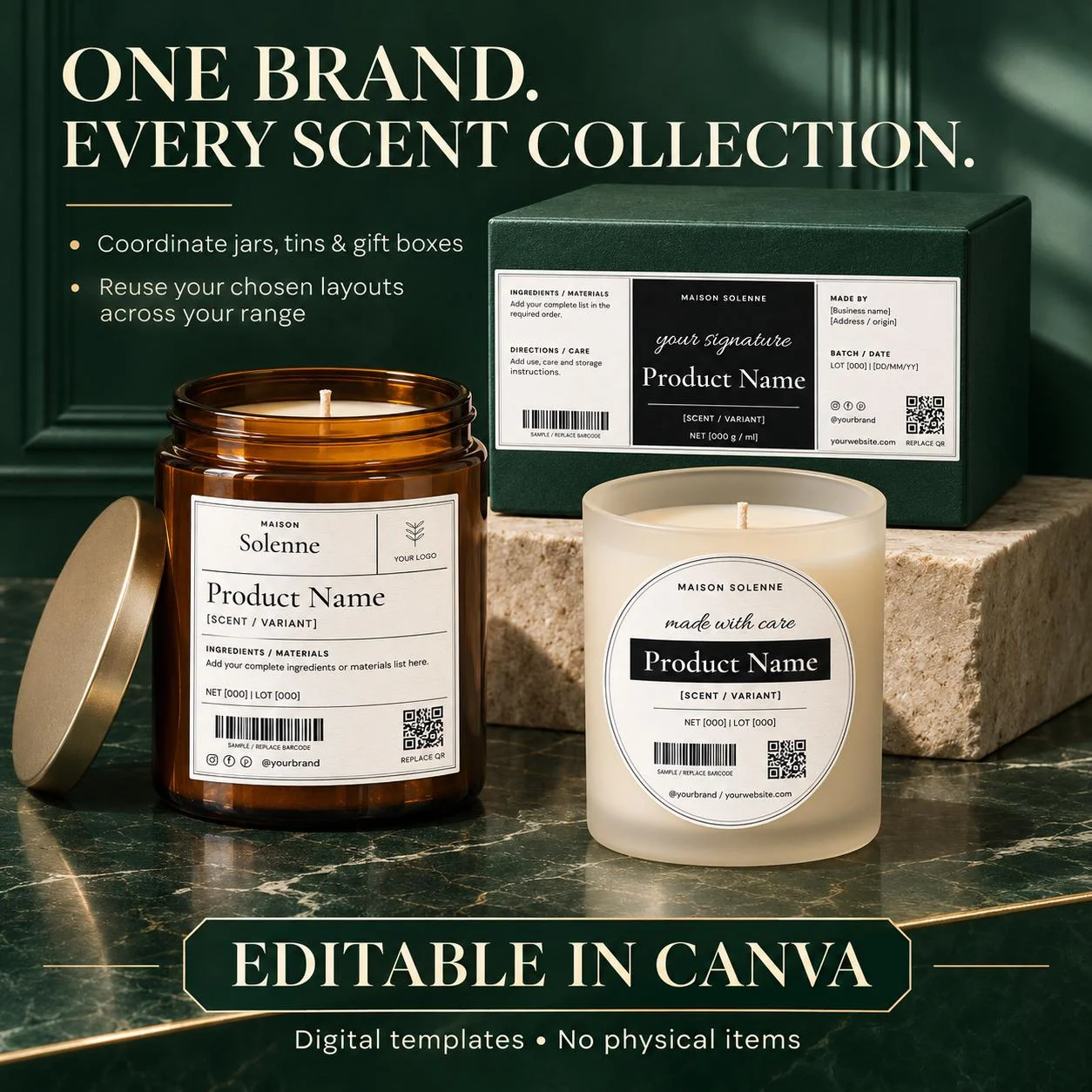
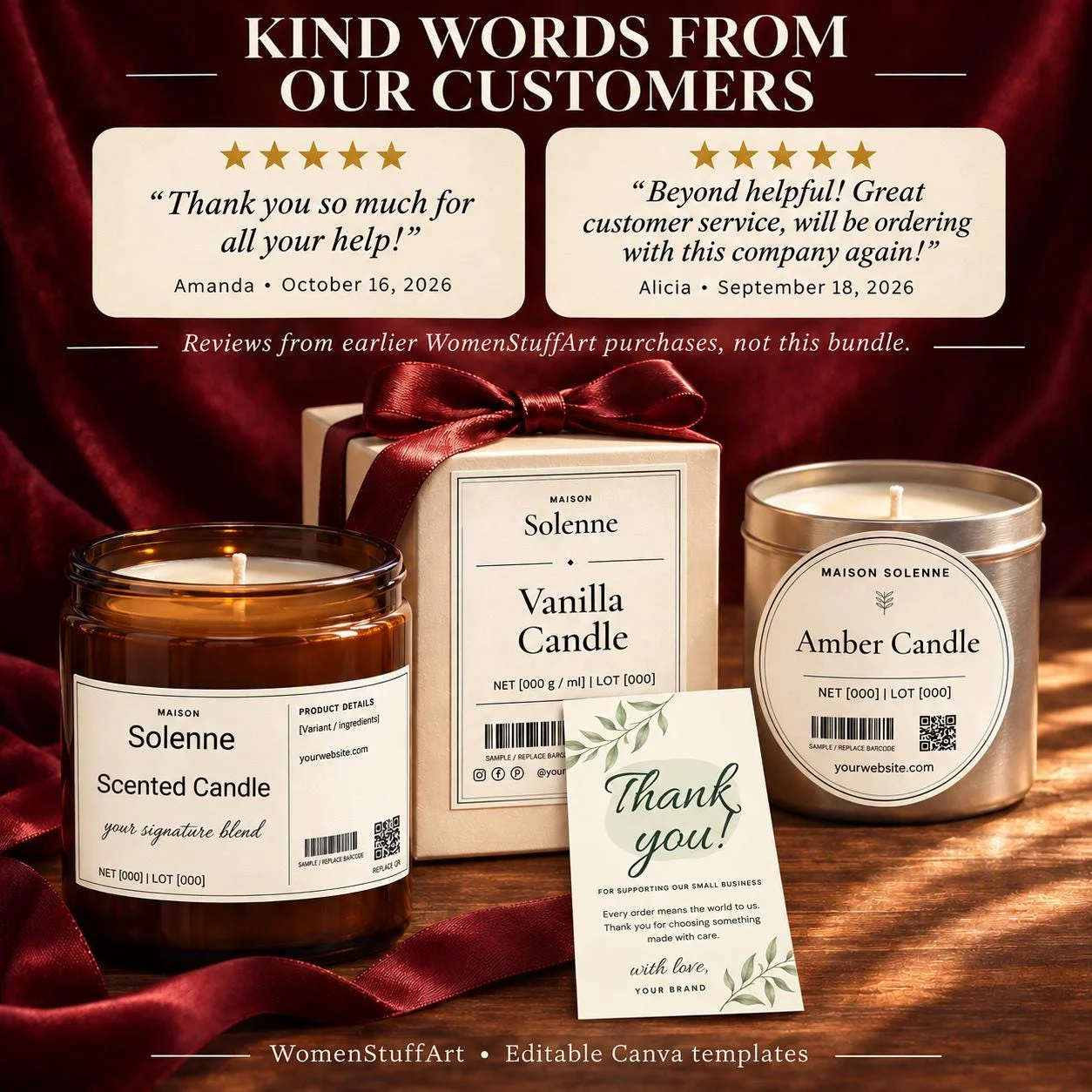
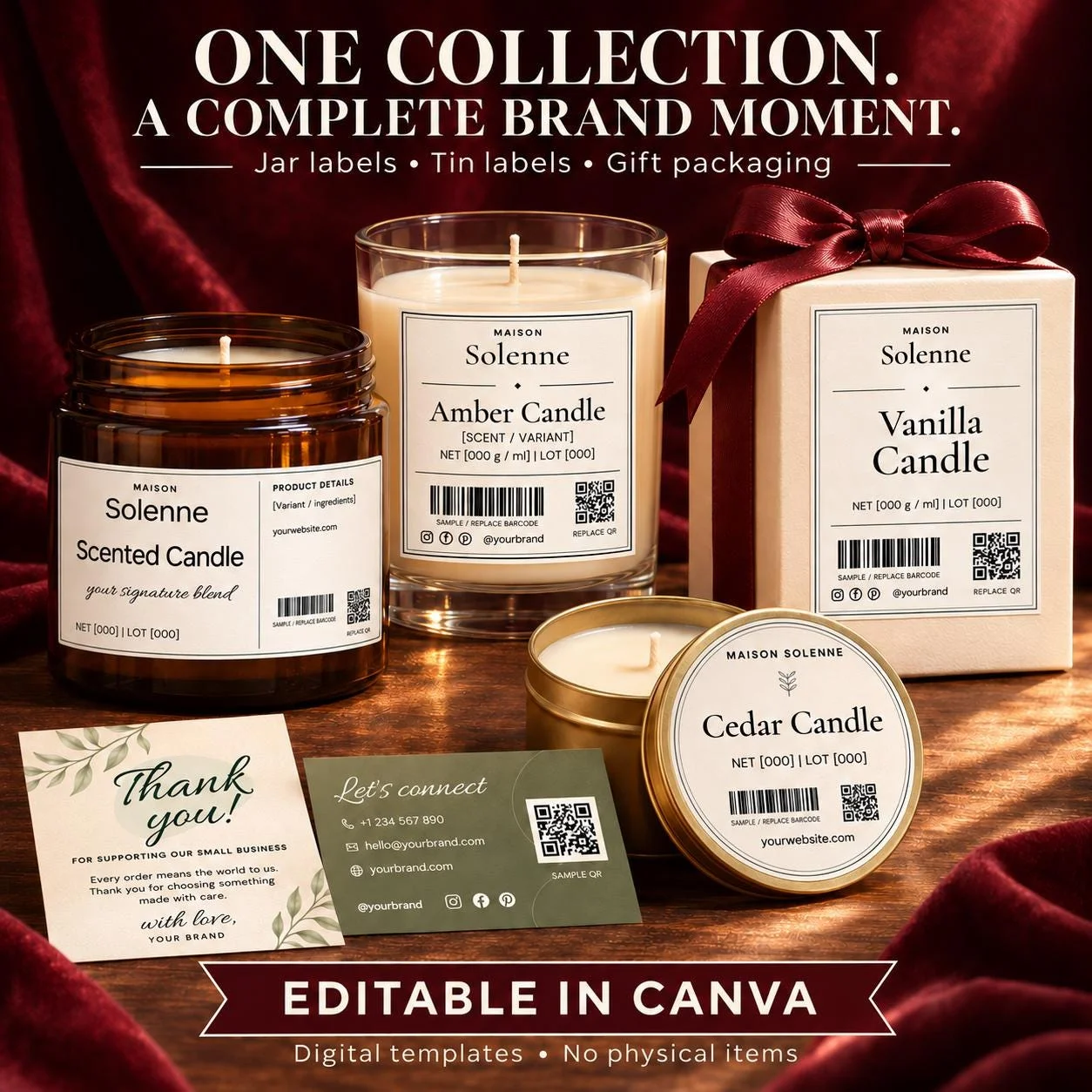
Product label. Give your wax melt packaging a coordinated look with label templates you can personalize in Canva. Adapt suitable layouts for clamshell fronts, snap bar paper bands, scent names, wax details, product-information panels and decorative box seals, then finish your orders with matching customer stationery. This digital bundle contains 100 general-purpose label layouts, including size variations, plus 20 mixed stationery layouts. You personalize the existing designs with your own branding and accurate product information. WHAT YOU RECEIVE • Access to 100 general-purpose label layouts, including size variations. • 20 mixed stationery layouts; separate fronts and backs count as individual layouts. • Square, round, band and information-panel examples shown in the gallery. • General-purpose thank-you, care, contact and reorder card layouts within the stationery collection. • A PDF access guide with Canva links. • Sample artwork PDFs, a size directory and prepared sample print sheets. • Editing guidance and the supplied desktop-browser Print Studio workflow. Some stationery pages have bakery wording. This is the existing mixed collection presented for wax melt makers, rather than 100 newly created wax-specific designs or 20 wax-only cards. IDEAS FOR YOUR WAX MELT PACKAGING CLAMSHELL FRONTS Choose a suitable label for the smooth, usable front panel of your own clamshell. Keep your product name and scent variation clear while making room for the details your product needs. SNAP BAR BANDS AND WRAPS Adapt the existing band layouts to paper bands, sleeves or outer packaging that you supply. These are label layouts; structural packaging patterns and cutting files are not included. SCENT NAMES AND WAX DETAILS Personalize the relevant text fields with your scent or collection name. Adapt appropriate product-information fields for accurate wax details, net weight, batch information and your business contact details. CARE AND SAFETY INFORMATION Use suitable information panels or the general care card to add verified wording for your own wax products. The supplied artwork contains general-purpose placeholders, not completed wax melt warnings, hazard classifications or formula-specific safety instructions. Ready-to-use safety wording and a regulatory compliance guarantee are not included. GIFT BOXES AND DECORATIVE SEALS Carry the same visual style across your outer box, paper band and finishing label. The round brand seal is decorative; it is not a security or tamper-evident seal. CUSTOMER CARDS Personalize general-purpose thank-you, contact and reorder layouts to include with your orders. Replace the sample links and contact details with your own information. PERSONALIZE IN CANVA • Update editable text with your brand and product details. • Change fonts and available colour settings. • Add your own logo where the layout allows. • Replace sample social details, websites, barcodes and QR codes. Some decorative frames, icons and artwork groups remain fixed image layers. A Canva account and internet connection are required. Review the actual artwork previews for the design style and information areas included. HOW IT WORKS 1. Download the access guide supplied with your purchase. 2. Open the Canva links and choose an appropriate layout. 3. Personalize the wording and add accurate information for your own products. 4. Export your finished artwork and follow the supplied print workflow. 5. Print a paper proof at 100% / Actual Size, check the fit and test all codes before making a full batch. Prepared sample print sheets do not automatically update after Canva edits. Use your personalized exports and the supplied print workflow for edited designs. MEASURE BEFORE PRINTING Compare the size directory with the usable area on your own packaging. Allow for curved edges, hinges, folds, seams and opening tabs. Packaging dimensions vary, so a layout will not fit every clamshell, snap bar or box automatically. Check text size, contrast, placement and code readability on a physical proof. Alignment with a particular brand of pre-cut label sheets is not promised. Choose printing materials appropriate to your packaging and printer, and confirm their suitability with your supplier. WHAT THE GALLERY SHOWS The label artwork is black and white; the botanical stationery uses cream and green. Forest-green boxes, gold ribbon, wax melts, clamshells, sleeves and other props show styling ideas and are not included. Marketing scenes are AI-assisted mockups based on the supplied artwork. Perspective and very small details may vary; the actual template previews show the sample designs. Use the original Canva templates and customer exports for printing. The review graphic features feedback from earlier WomenStuffArt purchases. Those reviews are not reviews of this wax melt bundle. PLEASE NOTE • Digital templates only. No physical labels, wax melts, packaging or printed cards are shipped. • Sample product names, quantities, codes and contact information must be replaced before use. • You supply the accurate product details, care instructions and safety information your products need. • The existing collection includes general-purpose layouts, size variations and mixed stationery. NEED HELP? Message WomenStuffArt through Etsy if you need help finding your template links or understanding the included files. Thank you for supporting our small business.
Label design and packaging guides
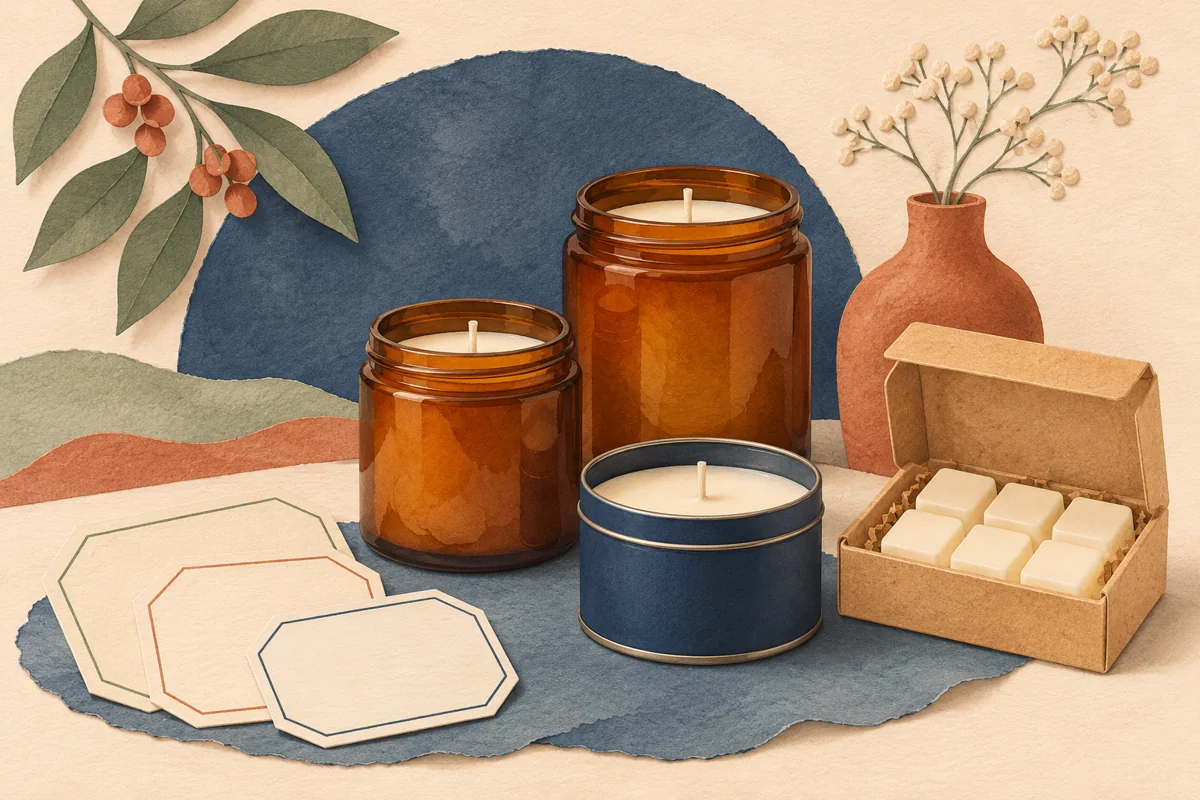
Candle Label Design for Jars and Tins
Plan candle labels around your actual jar or tin, organize scent names and supporting panels, and proof the artwork before printing.
Read the guideClear Candle Labels: Keep the Scent Name Readable
Test transparent candle labels on amber, clear and tinted jars. Compare white ink, wax colors and viewing conditions with a simple cold-jar proof.
Read the guideCandle Dust Covers That Fit and Lift Out Easily
Plan a removable candle dust cover around the jar opening and wick. Check the paper fit, lift tab and removal instruction before printing.
Read the guideFOR THE REST OF YOUR COLLECTION